

In short
Roblox parental controls are managed from a linked parent account or in Parent mode on the child's device [1]. Parents can set content, chat, spending and screen-time limits [1]. Since January 2026, chat has required an age check [2][3], and under-16s are placed in Roblox Kids or Roblox Select accounts with a narrower game catalogue [4][5].
Key takeaways
- Link a parent account to manage settings remotely; Parent mode on the child's device covers most settings without one [1].
- Users must complete an age check to chat on Roblox, and chat is limited to similar age groups or Trusted Friends [3][5].
- Roblox Kids (ages 5 to 8) and Roblox Select (ages 9 to 15) accounts have been available worldwide since June 2026 [5].
- Parents control screen time and spending limits until 13, and chat settings and game blocking until 16 [5].
- Roblox says no system is perfect [3], and in December 2025 nearly 80 child-safety lawsuits against the company were centralised in a US federal court [8].
- If a child is threatened with images, report and block the account but keep the messages, then seek help [9].
On this page 13 sections
- How do Roblox parental controls work?
- What are Roblox Kids and Roblox Select accounts?
- How do Roblox age checks for chat work?
- Which settings can parents control at each age?
- How do you set up Roblox parental controls step by step?
- What do Roblox content maturity labels mean?
- What risks remain on Roblox even with controls on?
- What should you do if a child is threatened or exploited?
- What comes next for Roblox safety?
- Common mistakes
- Frequently asked questions
- Glossary
- Sources
How do Roblox parental controls work?
Roblox parental controls are settings that let a parent or caregiver manage what a child can play, who they can talk to, how much they can spend and how long they can play [1]. Roblox describes five areas: content, chat, spending, screen time, and friends and privacy [1].
There are two ways to use them [1]:
- A linked parent account. The parent creates or uses their own Roblox account and links it to the child's. Settings can then be changed from the parent's own device, and the parent receives emails about the child's activity and requests [1].
- Parent mode on the child's device. Without a linked account, a parent can approve requests and change most settings directly on the child's device. Real-time alerts, such as spending notifications, need a linked account [1].
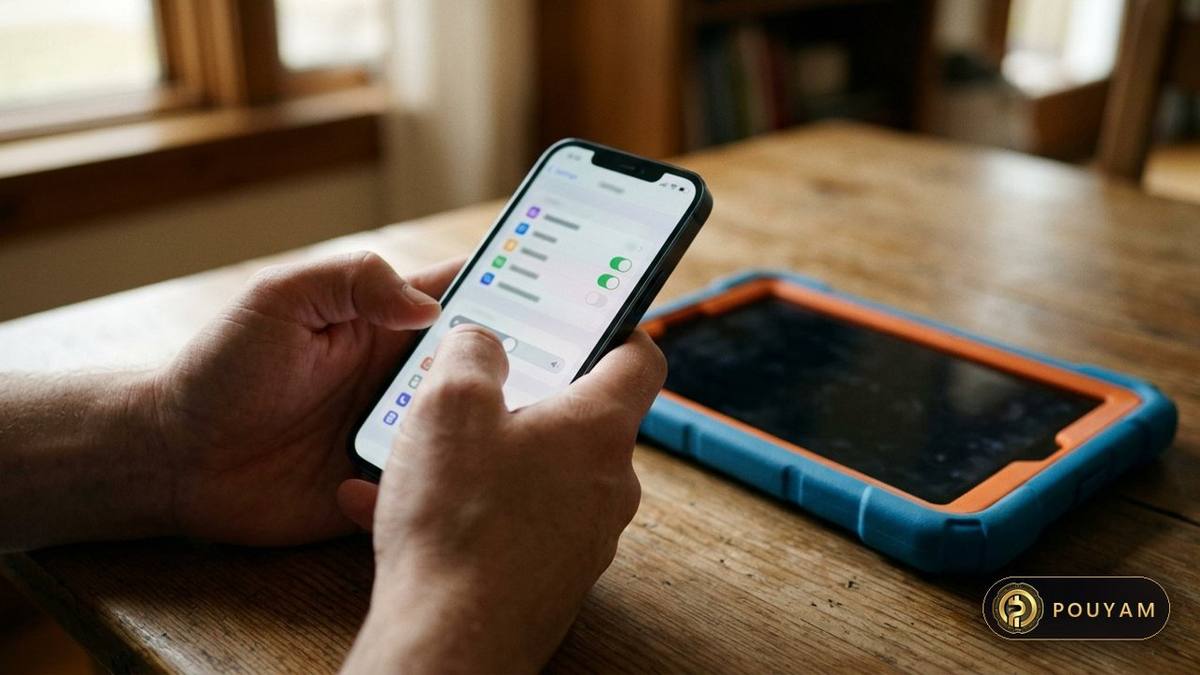
With a linked account, the controls sit under Settings, then Parental controls, then the child's page. On desktop the settings sit behind the gear icon at the top right; on mobile, tap More, then Settings [1]. The child's page shows pending requests, Robux balance, screen time, top games and friends [1].
The controls available depend on the child's age, and some move from the parent to the child as the child gets older [1].
What are Roblox Kids and Roblox Select accounts?
In April 2026 Roblox announced two age-based account types for younger users [4], and on 16 June 2026 it made them available worldwide after a first launch in Australia, Indonesia, the Netherlands and New Zealand [5].
- Roblox Kids is for ages 5 to 8. Access is limited to games labelled Minimal or Mild that have passed an extra selection process, and all communication is disabled by default [4].
- Roblox Select is for ages 9 to 15. Access is limited to selected games labelled up to Moderate, and default communication settings for this age range were left unchanged [4].
- Standard Roblox accounts are for users 16 or older and require an age check, by ID or facial age estimation [5].
Users move from Kids to Select at 9 and from Select to a standard account at 16 [4]. Games for younger users need extra review: developers must verify their ID, use two-factor authentication and buy a Roblox subscription or pay a one-time refundable publishing fee, and games with social hangouts, free-form drawing or sensitive issues are excluded [5]. Roblox says ages and features vary by region [4][5].
Users who have not completed an age check are placed by their self-declared age but cannot chat or reach the full Roblox experience [5].
How do Roblox age checks for chat work?
Roblox announced in November 2025 that it would require a facial age check for all users who want to chat [2]. The requirement began in Australia, New Zealand and the Netherlands in early December 2025 and was extended worldwide, wherever chat is available, from January 2026 [2][3].
The check uses Facial Age Estimation in the Roblox app with the device camera. Images and video are processed by the vendor Persona and, according to Roblox, deleted immediately after processing [2]. Users 13 or older can use ID verification instead [2]. Roblox reports that the model used had a mean absolute error of 1.4 years for users under 18 in testing by the UK Age Check Certification Scheme [3]. In plain terms, the estimate was on average 1.4 years away from the real age, and Roblox offers appeals by ID check or through parental controls for wrong results [3].
After the check, a user is assigned to one of six groups: under 9, 9-12, 13-15, 16-17, 18-20 or 21+ [2]. By default, users can chat with their own group and the groups directly above and below; for example, a user aged 9-12 can chat with under-9 and 13-15 users [3]. The system is designed to stop children under 16 from chatting with adults [3]. Age-checked users 13 and older can chat more widely with people they know; the January 2026 announcement called this feature Trusted Connections, and Roblox's current Help Center uses the term trusted friends [1][3].
Which settings can parents control at each age?
Roblox shifts control from parents to children in stages. Its June 2026 description of the age-based accounts sets out the main thresholds [5]:
- Under 13: parents can check the friend list, block or report users, approve or decline Trusted Friend requests, and set screen-time and spending limits [5].
- Under 16: parents can change chat settings and allow or block specific games [5].
- 16 to 18: parents keep visibility, including spending notifications and insight into screen time and friend lists, but have less direct control [5].
The Help Center adds that from age 13 the child manages their own screen-time limits and blocking, and spending limits no longer apply [1]. For teens 16 and older, the parent's settings page shows only notifications, spending notifications and activity updates [1].

How do you set up Roblox parental controls step by step?
- Link your account. Use your own Roblox account and link it to your child's, so you can manage settings from your device and receive request emails [1].
- Complete the age check. Many communication settings show 'Age check needed' and only work after the child is age-checked [1]. Parents can update a child's birthday through Parental Controls after Facial Age Estimation [2].
- Set content maturity. In Content restrictions, move the slider to Minimal, Mild, Moderate or Restricted, block individual games, and decide on 'Sensitive issues' and 'Preview games' [1].
- Choose chat settings. Experience chat and direct chat can each be on or off; under-9s need parental consent for experience chat and under-13s for direct chat [1].
- Set spending rules. Enter a monthly spending limit between 0 and 10,000 in local currency (the default is no limit) and choose spending notifications [1]. High spend alerts at $100, $250 and $500 a month are on by default for linked parents [1].
- Limit Robux transfers. By default, Roblox allows 500 Robux a day and 1,000 a month to be sent to Trusted Friends; parents can lower the limits or approve every transfer [1].
- Set screen time. Choose a daily limit in 15-minute steps and review the seven-day chart and top games [1].
- Review friends and visibility. Check the friends list, set who sees online status and current game, and decide who can join private servers [1].
A child can ask for a setting to be changed, such as access to a specific game; parents approve or deny requests by email, in Parental controls or on the child's device [1].
What do Roblox content maturity labels mean?
Roblox games carry content maturity ratings, and the parent's slider decides which of the Minimal, Mild, Moderate and Restricted ratings a child can join [1]. Roblox says its labels are grounded in child development research and informed by industry standards [1].
Some content has its own age gate: games with social hangouts or free-form creation tools are for age-checked users 16 and older, games marked 'Content May Vary' are for age-checked users 16 and older in most regions, and Restricted games are for age-checked users 18 and older [1]. Games primarily about sensitive issues are also limited to age-checked users 16 and older, but a parent can turn on 'Allow sensitive issues', and parents of children aged 9 to 15 can allow a specific 'Content May Vary' game through Allowed games [1]. In April 2026 Roblox said it would start moving to the International Age Rating Coalition (IARC) framework, which shows regional ratings such as ESRB and PEGI, later in 2026 [4]; as of 3 November 2026 the Help Center still describes Roblox's own labels [1].
What risks remain on Roblox even with controls on?
What the protections do. Roblox says it does not encrypt chat and monitors voice and text with AI systems, filters text chat between users under 13 more strictly, and does not allow image or video sharing in chat [2]. It also limits social media links to age-checked users 16 or older [5].
What they do not guarantee. Roblox itself says that 'no system (including Roblox) is perfect' and that it cannot prevent all objectionable content [3]. Age estimation has a margin of error [3], and lawsuits describe contacts that began on Roblox and moved to other apps, where Roblox controls do not apply [8].
Lawsuits. In December 2025 the US Judicial Panel on Multidistrict Litigation centralised 31 actions from twelve federal districts, plus 48 related actions, in the Northern District of California as MDL No. 3166 [8]. The plaintiffs allege that predators groomed children on Roblox and then moved them to platforms such as Discord, Snapchat or Instagram; these are allegations, not findings [8]. At least two US states, Nevada and Alabama, have reached settlements with Roblox. Nevada's April 2026 agreement was worth more than $12 million and included commitments on age verification and nighttime notifications for minors [6]. Alabama announced a $12.2 million settlement in which Roblox agreed not to encrypt communication involving minors [7].
Money. Parents of children under 13 can set a monthly spending limit, and linked parents receive high spend alerts by default [1]. Gift card redemption is not affected by the spending limit [1].
What should you do if a child is threatened or exploited?
The US National Center for Missing and Exploited Children (NCMEC) describes sextortion as blackmail in which a child is threatened, usually with the sharing of a sexual image, by someone demanding more content, sexual activity or money [9]. NCMEC says teenage boys have been the most common targets in recent financial sextortion cases [9].
- Report the account through the platform's safety feature [9].
- Block the person, but do not delete the profile or messages, which can help stop the blackmailer [9].
- Get help before paying or complying: NCMEC says cooperating or paying rarely stops the blackmail [9].
- Use NCMEC's Take It Down service, which can help remove or stop the online sharing of sexual images taken before age 18 on participating platforms, without the images leaving the device [10].
- In the United States, report to NCMEC's CyberTipline, which makes reports available to the appropriate law enforcement agency after review [9]. Outside the US, contact local police or a national child-protection service.
This is general safety information, not legal advice.
What comes next for Roblox safety?
In January 2026 Roblox said it would soon begin asking users to repeat the age check when their behaviour suggests they are much older or younger than their recorded age, and that it was working on easier ways for children to chat with parents and siblings in other age groups [3]. The move to IARC ratings that Roblox announced in April 2026 would bring regional ratings such as ESRB and PEGI to Roblox games [4].
The federal cases were assigned in December 2025 to Chief Judge Richard Seeborg in the Northern District of California for coordinated pretrial proceedings [8]. Settings and age thresholds change often, so the Roblox Help Center page on parental controls is the place to check before relying on any one setting [1].
| Account | Ages | Games | Chat by default |
|---|---|---|---|
| Roblox Kids | 5 to 8 [4] | Selected games labelled Minimal or Mild [4] | Disabled; parents can allow text chat [5] |
| Roblox Select | 9 to 15 [4] | Selected games up to Moderate [4] | Unchanged defaults; age check required to chat [4][5] |
| Standard Roblox | 16 and older [5] | Full catalogue by maturity label [1] | Age check required [5] |
| Label | What it may contain | Who can access |
|---|---|---|
| Minimal | Occasional mild violence, light unrealistic blood, occasional mild fear [1] | Set by parent slider [1] |
| Mild | Repeated mild violence, heavy unrealistic blood, mild crude humour, repeated mild fear [1] | Set by parent slider [1] |
| Moderate | Moderate violence, light realistic blood, unplayable gambling content, moderate fear [1] | Set by parent slider; hangouts and free-form creation 16+ age-checked [1] |
| Restricted | Strong violence, heavy realistic blood, romantic themes, alcohol, strong language [1] | Age-checked users 18+ [1] |
| Content May Vary | Creator has not finished the maturity questionnaire [1] | Age-checked users 16+ in most regions [1] |
Common mistakes
Relying only on the age a child typed in at sign-up.
Fix: Complete the age check; many chat settings only work after it [1][5].
Using Parent mode and expecting spending alerts.
Fix: Spending notifications need a linked parent account [1].
Assuming spending limits continue after 13.
Fix: Limits stop at 13, but notifications can stay on [1].
Deleting messages after a threat or blackmail attempt.
Fix: Block and report, but keep the messages as evidence [9].
Treating the controls as complete protection.
Fix: Roblox says no system is perfect; talk with children about online grooming [3].
Frequently asked questions
What age is Roblox for?
Roblox Kids accounts start at age 5, Roblox Select covers ages 9 to 15, and standard accounts are for users 16 and older who pass an age check [4][5].
Can I turn off chat on Roblox completely?
Yes. Parents can switch experience chat and direct chat off, and set friends chat to No one [1]. Chat is already disabled by default for Roblox Kids accounts [4].
Does Roblox keep my child's face scan?
Roblox says images and video used for Facial Age Estimation are processed by Persona and deleted immediately after processing [2].
Can I limit how much my child spends on Robux?
Yes, until age 13: set a monthly limit between 0 and 10,000 in local currency and choose spending notifications [1].
Can my child play a game that is above their account's level?
A child can send a request, and parents can approve specific games from Allowed games [1][4].
What if the age check gets my child's age wrong?
Users can appeal by ID verification, or parents can update the child's age through parental controls [3].
Glossary
- Facial Age Estimation
- A camera-based check that estimates a user's age from images and video taken with the device camera; Roblox uses the vendor Persona [2].
- Trusted Friends
- People a user knows and designates, who can chat across age groups; under-13s need parental approval [1][5].
- Content maturity label
- Roblox's rating for each game: Minimal, Mild, Moderate, Restricted or Content May Vary [1].
- Robux
- Roblox's virtual currency, bought with real money and covered by parental spending limits [1].
- Parent mode
- A way to manage most settings on the child's own device without linking a parent account [1].
- Sextortion
- Blackmail of a child using the threat of sharing sexual images, to demand more content or money [9].
Sources
- Parental Controls Overview Roblox Help Center; live page, retrieved 2026-11-03
- Roblox Requires Age Checks for Communication, Ushering in New Safety Standard Roblox Newsroom · 2025-11-19
- A New Era of Safety: Facial Age Checks Now Required to Chat on Roblox Roblox Newsroom · 2026-01-07
- Roblox Introduces New Age-Based Accounts and Expanded Parental Controls for Users Under 16 Roblox Newsroom · 2026-04-13
- Age-Based Roblox Kids and Roblox Select Accounts Now Globally Available Roblox Newsroom · 2026-06-16
- Roblox gaming platform reaches $12 million settlement with Nevada, enhancing youth protections Associated Press (via Spectrum News NY1) · 2026-04-15
- Attorney General Marshall Announces $12.2 Million Settlement with Roblox to Ensure Child Safety Office of the Alabama Attorney General · 2026-04-21
- In re: Roblox Corporation Child Sexual Exploitation and Assault Litigation, MDL No. 3166, Transfer Order United States Judicial Panel on Multidistrict Litigation (via GovInfo) · 2025-12-12
- Sextortion National Center for Missing and Exploited Children
- Take It Down National Center for Missing and Exploited Children




Comments
Top comments