
What Is an eSIM? How It Works and How to Switch
Published
- 16 views
- 0 likes
- 0 comments
- All languages combined
 +30
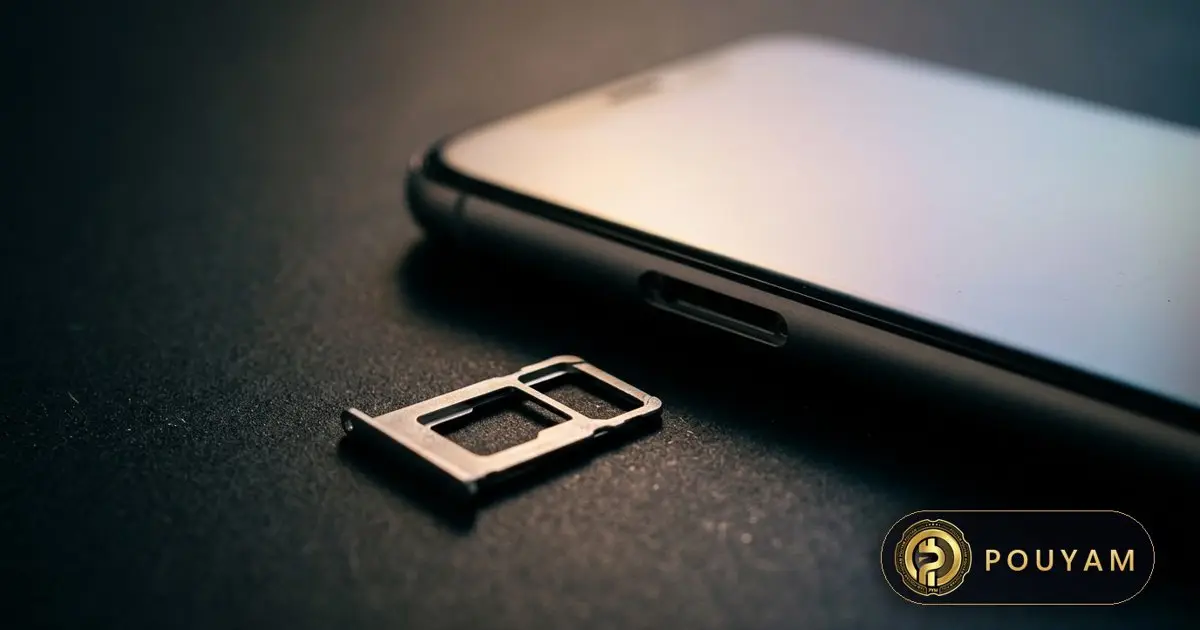
Sign in and earn +30 points by reading this
Read to the end, wait a few seconds, then tap the claim button below.
In short
An eSIM is a digital SIM: the same subscriber credentials a plastic SIM card holds, downloaded into a secure chip built into the phone [1]. You activate it by QR code, a carrier app or a phone-to-phone transfer [2][6]. It needs a carrier that supports eSIM [2], and several iPhone models are now eSIM-only in some countries [4].
Key takeaways
- An eSIM does the same job as a SIM card, but the profile is downloaded into an embedded secure element instead of sitting on a removable card [1].
- One phone can store several eSIM profiles; iPhone 13 and later support two active eSIM lines at once [1][4].
- Many iPhone models sold in the US, Canada, Japan, Mexico and several Gulf states are eSIM-only [4].
- Moving an eSIM between phones can be done on-device with iPhone eSIM Quick Transfer or Android's transfer tool, if the carrier supports it [2][6].
- An eSIM cannot be pulled out of a stolen phone, but SIM swap fraud targets carrier accounts and remains a risk [3][7].
- Iranian operators announced eSIM services in September 2025; Iran is not listed on Apple's eSIM carrier page as of 3 November 2026 [5][8].
On this page 12 sections
- What is an eSIM?
- How does an eSIM work?
- Which phones support eSIM, and which are eSIM-only?
- How do you switch to an eSIM or move it to a new phone?
- How does an eSIM help when travelling?
- What are the benefits and risks of eSIM?
- Can you use an eSIM in Iran?
- What comes next for eSIM?
- Common mistakes
- Frequently asked questions
- Glossary
- Sources
What is an eSIM?
An eSIM (embedded SIM) is a digital version of the SIM card. A SIM's job is to authenticate a phone on a mobile network securely. The GSMA, the global mobile operators' association, explains that the role of the SIM is not changing with eSIM; what changes is how it is loaded: the SIM profile is downloaded securely into a secure element permanently embedded inside the device [1]. The GSMA says this offers an equivalent level of security and protection to a removable SIM card [1].
Apple describes eSIM as an industry-standard digital SIM built into the iPhone, which removes the need for a physical SIM card and lets users activate plans digitally and switch between SIMs [2]. Instead of collecting a plastic card from a shop, you receive a profile from the carrier and install it on the phone.
The GSMA defines separate eSIM specifications for consumer devices such as phones, for machine-to-machine (M2M) connections, and for Internet of Things (IoT) devices with limited networks or no screen [1]. Phones, tablets and watches use the consumer kind.
How does an eSIM work?
When you sign up for a mobile plan on eSIM, the carrier creates a profile for your line. That profile, containing the credentials a SIM card would hold, is delivered over the internet and stored in the phone's embedded chip [1]. According to the GSMA, consumers can store several operator profiles on one device and switch between them remotely [1].
How many lines can be active at once depends on the phone. The GSMA's general description says only one profile can be used at a time [1], but some phones support Dual eSIM: Apple says iPhone 13 models and later support Dual eSIM [4], and that supported models can have two eSIMs active at the same time, for example a home number and a local travel line [3]. Apple also says an iPhone can hold up to eight or more eSIMs [2].
Common ways to install an eSIM on iPhone include eSIM Quick Transfer from a previous iPhone, eSIM Carrier Activation (where the carrier assigns the eSIM when you buy), scanning a QR code, or a carrier app [2]. On Android, Google's Pixel Help describes transferring a physical SIM or eSIM to an eSIM on a new phone during setup or later from Settings [6].
Which phones support eSIM, and which are eSIM-only?
On iPhone, eSIM needs an iPhone XS, iPhone XS Max, iPhone XR or later, plus a carrier or worldwide service provider that supports eSIM [2]. Some models no longer have a SIM tray at all in certain countries. Apple's support page (updated 22 October 2026) lists iPhone Duo and iPhone Air as eSIM-only, and the iPhone 18 Pro, iPhone 17e and iPhone 17 family as eSIM-only when purchased in the United States, US Virgin Islands, Canada, Mexico, Japan, Guam, the United Arab Emirates, Saudi Arabia, Bahrain, Kuwait, Qatar and Oman [4]. iPhone 14, 15 and 16 models bought in the US are also eSIM-only [4].
Apple's US specification page for iPhone 17 states that it "is activated with an eSIM and does not support a physical SIM" [10]. The same models sold in other countries keep a nano-SIM slot alongside eSIM [4]. In mainland China, Apple says only iPhone Duo, iPhone 18 Pro, iPhone 18 Pro Max, iPhone 17e and iPhone Air support eSIM [4].
This matters when buying a phone abroad: a US-model eSIM-only iPhone can be used only with carriers that offer eSIM. Android phones can use eSIM too; Google's transfer tool for Pixel phones requires Android 12 or later on both devices [6].
How do you switch to an eSIM or move it to a new phone?
iPhone to iPhone (eSIM Quick Transfer). If your carrier supports it, Apple says you can move your SIM to the new iPhone without contacting the carrier [2]. Before starting, both phones must be signed in to the same Apple Account, the old iPhone must be unlocked, both must be nearby with Bluetooth on, and both need iOS 18.4 or later [2]. Then [2]:
- On the new iPhone, open Settings and tap Cellular.
- Tap Set Up Cellular or Add eSIM, then choose the plan to transfer (or Transfer From Nearby iPhone).
- Follow the prompts on the old iPhone and confirm with Transfer or the code shown.
- Wait for activation; the old SIM is deactivated once the new plan activates.
With iOS 26 or later, more than one phone number can be transferred to a new iPhone [2]. Some carriers also let you convert a physical SIM into an eSIM on the same iPhone [2].
QR code. If the carrier gives you a QR code, scan it with the Camera app and tap the Cellular Plan Detected notification; on iOS 17.4 or later you can also touch and hold a QR code received in email or a browser and tap Add eSIM [2].
Android. Google's steps on Pixel are Settings, Network & internet, SIMs, Add SIM, Transfer SIM from another device [6]. Both phones need Android 12 or later, the current Google Play services and a screen lock [6]. Google notes that your existing SIM can keep working even if the transfer fails, and to contact the carrier for persistent problems [6].
How does an eSIM help when travelling?
Travel is one of the main uses. Apple describes three options: roam with your home carrier, buy an eSIM from a local carrier at the destination, or buy a prepaid data eSIM from a worldwide service provider, which Apple says covers more than 190 countries or regions [3].
Example: a traveller keeps their home number on one eSIM and adds a local data eSIM as a second line. Apple says that if you use only the travel eSIM, FaceTime and iMessage keep working on the home line [3]. To use another carrier, the phone must not be carrier-locked; on iPhone, Settings, General, About shows "No SIM Restrictions" next to Carrier Lock when the phone is unlocked [3].
Local rules still apply. Apple notes that depending on local regulations, buying a local eSIM may require identification such as a passport, and longer postpaid accounts may require proof of residency, a bank account or a credit card [3].

What are the benefits and risks of eSIM?
Benefits
- No card to obtain, swap, lose or wait for by post [3].
- Several plans stored on one phone, with quick switching [1][2].
- Apple says eSIM is more secure than a physical SIM because it cannot be removed if the iPhone is lost or stolen [3].
- Digital activation, including transfers between phones without a shop visit where carriers support it [2][6].
Limits and risks
- Your carrier must support eSIM, and transfer methods can vary by carrier [2][6].
- eSIM-only phones cannot use a plastic SIM if a carrier does not offer eSIM [4].
- SIM swap fraud still applies. The FBI describes criminals tricking or bribing carrier staff into moving a victim's number to a SIM they control, then using text-message codes to take over accounts [7]. Because the attack targets the carrier account, an eSIM line is likely exposed in the same way; this is an inference, as the FBI notice does not mention eSIM specifically.
The FBI recorded 1,611 SIM swapping complaints with adjusted losses of more than $68 million in 2021 alone [7]. It recommends stronger multi-factor authentication such as biometrics, physical security tokens or authenticator apps, and never giving account details to callers without verifying by calling the carrier's own customer service line [7].
Can you use an eSIM in Iran?
Iranian operators have moved towards eSIM. The tech site Zoomit reported on 11 September 2025 that Hamrah-e Aval (MCI) said its infrastructure was ready for eSIM pre-registration but gave no start date [9]. On 24 September 2025 Zoomit reported that Irancell had received official permission from the relevant authorities for commercial eSIM service and opened pre-registration on its website, with a list of compatible phones [8].
As of 3 November 2026, Iran does not appear among the countries on Apple's page of carriers that offer eSIM on iPhone [5]. Availability for a specific phone model and line should therefore be checked directly with the operator. Buyers of imported phones should also check the model: US-version iPhones of recent generations are eSIM-only [4], so they need an operator that offers eSIM.
For visitors, Apple's general advice applies: local or worldwide travel eSIMs may need identification, and the phone must be unlocked to use another carrier [3].

What comes next for eSIM?
The direction is towards fewer SIM trays. Apple's eSIM-only list now includes iPhone Air and iPhone Duo without a country qualifier, and the iPhone 17 family, iPhone 17e and iPhone 18 Pro models when bought in a dozen countries and territories [4]. Apple lists carriers and worldwide providers that offer eSIM by country [5].
Transfers are also getting easier. Apple added multi-number transfer in iOS 26 [2], and Google's tool moves a physical SIM or eSIM to an eSIM in a new phone during setup [6]. The GSMA also has a separate eSIM IoT specification for devices that are network-constrained or have limited user interfaces, such as no screen [1].
| Models | Where eSIM-only | Elsewhere |
|---|---|---|
| iPhone Duo, iPhone Air | No country limit given by Apple [4] | eSIM only [4] |
| iPhone 18 Pro/Pro Max, iPhone 17e, iPhone 17 family | US, USVI, Canada, Mexico, Japan, Guam, UAE, Saudi Arabia, Bahrain, Kuwait, Qatar, Oman [4] | eSIM and nano-SIM [4] |
| iPhone 14, 15 and 16 families | Bought in the US [4] | eSIM and nano-SIM [4] |
| iPhone XS, XR, 11, 12, 13, SE (3rd gen) | None | eSIM and nano-SIM [4] |
| iPhone SE (2nd gen) and earlier, iPhone X | None | Nano-SIM only [4] |
| Method | What you need | Where it works |
|---|---|---|
| eSIM Quick Transfer | Same Apple Account, Bluetooth on, iOS 18.4 or later on both iPhones [2] | iPhone to iPhone, if carrier supports it [2] |
| eSIM Carrier Activation | Carrier assigns the eSIM at purchase [2] | iPhone [2] |
| QR code | Code from the carrier [2] | iPhone, including in email or a browser on iOS 17.4 or later [2] |
| Android transfer | Android 12 or later, current Play services, screen lock [6] | Android, carrier dependent [6] |
Common mistakes
Buying an eSIM-only phone for a carrier that has no eSIM
Fix: Check Apple's eSIM-only list [4] and confirm your carrier offers eSIM before buying [5].
Erasing the old phone before the new eSIM works
Fix: Finish the transfer first; Apple says the old SIM is deactivated when the new plan activates [2], and Google says to contact the carrier if a transfer fails [6].
Trying a foreign travel eSIM on a carrier-locked phone
Fix: Check for "No SIM Restrictions" under Settings, General, About on iPhone before you travel [3].
Assuming eSIM stops SIM swap fraud
Fix: SIM swaps work by moving your number at the carrier [7]. The FBI advises not sharing your account password or PIN with callers, verifying calls through your carrier's customer service line, and using biometrics, security tokens or authenticator apps rather than SMS codes [7].
Removing an eSIM plan you still need
Fix: Ask your carrier before deleting a plan from the phone; Apple's eSIM guide directs users to the carrier when they need help [2].
Frequently asked questions
What is an eSIM in simple terms?
It is a SIM card in digital form. The credentials that authenticate you on a mobile network are downloaded into a secure chip inside the phone instead of a removable card [1].
Is eSIM better than a physical SIM?
It is more convenient for switching and travel [3], and Apple says it is more secure because it cannot be removed from a stolen phone [3]. The GSMA says its security is equivalent to a removable SIM [1]. It depends on carrier support [2].
How do I transfer my eSIM to a new phone?
On iPhone, use eSIM Quick Transfer in Settings, Cellular, Add eSIM, with both phones on iOS 18.4 or later [2]. On Android, use Settings, Network & internet, SIMs, Add SIM, Transfer SIM from another device [6].
Can I have two numbers with eSIM?
Yes, on phones that support it. Apple says iPhone 13 and later support Dual eSIM [4], with two eSIMs active at the same time on supported models [3].
Does the iPhone 17 have a SIM card slot?
It depends where it was bought. Models sold in the US, Canada, Mexico, Japan and several Gulf states are eSIM-only; elsewhere they have eSIM and nano-SIM [4].
Glossary
- eSIM
- An embedded SIM: a SIM profile downloaded into a secure chip built into the device [1].
- Secure element
- A tamper-resistant chip that stores SIM credentials; for eSIM it is permanently embedded in the device [1].
- Dual eSIM
- Support for two active eSIM lines on one phone, available on iPhone 13 and later [4].
- eSIM Quick Transfer
- Apple's method for moving a SIM or eSIM from one iPhone to another without contacting the carrier, where supported [2].
- SIM swap
- A fraud in which criminals get a carrier to move a victim's number to a SIM they control [7].
Sources
- What is an eSIM? Guide to eSIM technology & use cases GSMA
- Set up eSIM on iPhone Apple Support
- Use eSIM while traveling internationally with your iPhone Apple Support
- Learn which type SIM your iPhone or iPad uses Apple Support · 2026-10-22
- Find wireless carriers and worldwide service providers that offer eSIM service on iPhone Apple Support
- Transfer a SIM to a new phone Google Pixel Phone Help
- Criminals Increasing SIM Swap Schemes to Steal Millions of Dollars from US Public FBI Internet Crime Complaint Center (IC3) · 2022-02-08
- آغاز رسمی ارائه eSIM ایرانسل (Irancell officially begins offering eSIM) Zoomit · 2025-09-24
- سورپرایز همراه اول برای طرفداران آیفون ۱۷: تکنولوژی eSIM به ایران میآید (Hamrah-e Aval: eSIM is coming to Iran) Zoomit · 2025-09-11
- iPhone 17 - Technical Specifications Apple




Comments
Top comments