
Windows 11 Lock Screen Bypass: FastUnlock and Protection
- 1 views
- 0 likes
- 0 comments
- All languages combined
 +78

Sign in and earn +78 points by reading this
Read to the end, wait a few seconds, then tap the claim button below.
In short
FastUnlock is an unpatched Windows 11 lock screen bypass published on 19 November 2026 by the researcher known as Nightmare Eclipse [1][3]. It needs physical access and lets code run as a limited lock-screen account [3]. As of 20 November 2026, Microsoft reportedly had no fix or CVE; a BitLocker startup PIN with shutdown or hibernation reduces the risk [2][5].
Key takeaways
- FastUnlock is a zero-day lock screen bypass for Windows 11 that requires someone to be physically at the device [2][3].
- The researcher tested it on Windows 11 26H2 with the November 2026 updates; other versions, including Windows 10, were not tested [2][4].
- It needs at least one account on the PC that is linked to an online Microsoft account [2][4].
- ThreatLocker's test gave access as WsiAccount, the lock-screen account, which is not an administrator [3].
- It does not decrypt a drive that is switched off; BitLocker with a startup PIN still protects a PC that is shut down or hibernated [3][5].
- As of 20 November 2026, reports said Microsoft had published no advisory, CVE or patch, and no attacks in the wild had been reported [2][4].
On this page 12 sections
- What is the FastUnlock Windows 11 lock screen bypass?
- Who is at risk from FastUnlock?
- Does FastUnlock break BitLocker encryption?
- Which Windows versions are affected by FastUnlock?
- How do I add a BitLocker startup PIN to protect my laptop?
- Should I shut down or hibernate instead of using sleep?
- What can IT admins do until Microsoft ships a fix?
- When will Microsoft fix FastUnlock?
- Common mistakes
- Frequently asked questions
- Glossary
- Sources
What is the FastUnlock Windows 11 lock screen bypass?
FastUnlock is a newly published flaw that lets a person sitting at a locked Windows 11 PC run programs without signing in. It was released on 19 November 2026 by the researcher who publishes as Nightmare Eclipse, also known as Chaotic Eclipse, without prior coordination with Microsoft [1][4].
According to the researcher's write-up, as summarised by security news sites, the problem lies in Narrator, the built-in screen reader. When Microsoft redesigned Narrator's interface, the new version was not blocked from showing settings when it runs on the sign-in screen, even though an older check still exists [2][4]. From the account recovery screen, someone can reach parts of Windows that should only be available after sign-in, and from there start programs [2][3].
The security company ThreatLocker reported on 19 November that it had tested the technique and that it let someone execute code without signing in [3]. Tom's Hardware also covered the disclosure the same day [1].
This guide does not repeat any steps. What matters for ordinary users and IT teams is who is exposed, what the flaw can and cannot do, and which settings reduce the risk until Microsoft releases a fix.
The flaw is called a zero-day because it became public before a patch existed. As of 20 November 2026, reports said there was no CVE number and no Microsoft advisory for it [2][4].
Who is at risk from FastUnlock?
Only people whose Windows 11 PC can be physically reached by someone else while it is running or sleeping. Remote attackers on the internet cannot use FastUnlock on its own [2][3].
The reported requirements are [2][3][4]:
- physical access to the keyboard and screen of the PC;
- at least one account on the PC that is linked to an online Microsoft account, because the attack starts from the Microsoft account recovery screen;
- a PC that is switched on and has already unlocked its drive, which is the case when it is at the lock screen or waking from sleep.
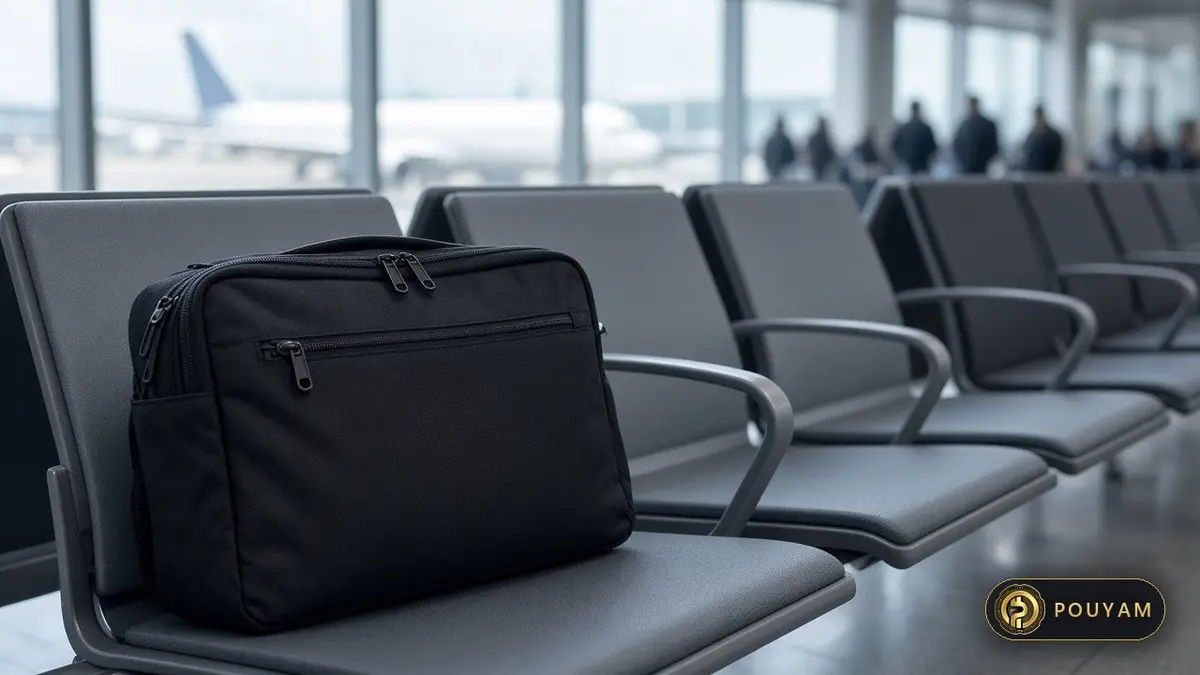
That puts laptops that travel at the top of the list: devices left in hotel rooms, on trains, at airport gates or in shared offices. Shared family PCs and kiosks with a Microsoft-linked account are also exposed if strangers can reach them.
A PC that uses only local accounts does not meet the researcher's stated requirements [4]. That is not advice to remove your Microsoft account, because those accounts bring other protections, but it does help administrators judge which machines are in scope.
No attacks using FastUnlock had been reported as of 20 November 2026 [2][5]. The risk is real but limited to people who can physically touch your device.
Does FastUnlock break BitLocker encryption?
No. FastUnlock does not break BitLocker's encryption or decrypt a drive that is switched off. It works after Windows has started and BitLocker has already unlocked the drive, which is why it can still reach files on an encrypted PC [3][5].
BitLocker protects data at rest. With the default TPM-only setting, the drive unlocks automatically when the PC starts, and the Windows sign-in screen becomes the main barrier [6]. FastUnlock targets that barrier, so a PC with TPM-only BitLocker that is running, sleeping or simply switched on and left at the sign-in screen can be exposed [5].
The headline claim that FastUnlock unlocks BitLocker-protected PCs therefore needs care. The researcher says it breaks the promise that a well-secured BitLocker machine cannot be accessed with physical access, and that is true for devices that boot without a PIN [2]. It is not a way to read a powered-off disk.
Early reports also differ on how much access an attacker gets. Tom's Hardware wrote that attackers could run programs as the signed-in user or create admin accounts [1]. ThreatLocker's own test found that the code ran as WsiAccount, the account Windows uses for the lock screen, which is not an administrator [3]. Treat the higher claims as unconfirmed until Microsoft or more researchers publish details.
Which Windows versions are affected by FastUnlock?
The confirmed case is Windows 11 version 26H2 with the November 2026 security updates installed. The researcher did not test Windows 10 or other Windows 11 builds, so their status is unknown, not safe [2][4].
Some reports say Windows 10 may also be affected [1], but no test has confirmed that. Because the bug comes from the redesigned Narrator interface, versions that do not have the new interface may behave differently, yet only Microsoft can confirm the full list [2][4].
Do not confuse FastUnlock with other recent BitLocker issues. Microsoft's November 2026 updates fixed separate BitLocker security feature bypass flaws, and an earlier flaw called YellowKey, CVE-2026-45585, was mitigated in May [5][4]. Installing those updates is still important, but it does not stop FastUnlock [2][5].
The table below sums up what is known and what is not. It will change once Microsoft publishes an advisory.
How do I add a BitLocker startup PIN to protect my laptop?
Turn on a BitLocker startup PIN, which Microsoft calls preboot authentication with TPM and PIN. With it, the drive stays locked until the PIN is typed, so a PC that is shut down or hibernated cannot reach the Windows lock screen at all [6].
Microsoft explains that with TPM and PIN, data on the encrypted drive cannot be accessed without the PIN, and the TPM has anti-hammering protection against guessing [6]. ThreatLocker says a pre-boot PIN may help if the device has just been turned on, and SecurityOnline also recommends TPM plus PIN as a mitigation [3][2].
On most PCs the general path looks like this:
- Check that BitLocker is on for the system drive in Settings or Control Panel.
- Back up your BitLocker recovery key and keep it away from the laptop, for example in your Microsoft account or a printed copy at home.
- On managed PCs, ask IT; administrators enable the startup PIN through the group policy Require additional authentication at startup [6].
- On a personal PC that allows it, an administrator can add a TPM and PIN protector with Windows' BitLocker management tools.
- Choose a PIN that is not your Windows sign-in PIN. Microsoft recommends a sophisticated alphanumeric (enhanced) PIN to help the TPM's anti-hammering protection, and security reporting notes the startup PIN is separate from the Windows sign-in PIN [6][5].
If your PC's settings do not offer a startup PIN, or you are not sure, contact the PC maker's support before changing encryption settings.

Should I shut down or hibernate instead of using sleep?
Yes, when the laptop leaves your sight. Sleep keeps the drive unlocked, while shutdown and hibernation lock it again, and with a startup PIN the PIN is needed before Windows starts [6].
Microsoft's BitLocker guidance is direct: when a device resumes from sleep, users are not asked for the PIN, so organisations using BitLocker might want to use hibernate instead of sleep for better security [6]. For high-risk devices it recommends a TPM and PIN protector, turning off standby, and shutting down or hibernating the device before it leaves an authorised user's control [6].
There is an important catch. Without a startup PIN, a shut-down PC that is switched on again unlocks the drive without any input and shows the lock screen, which is exactly where FastUnlock works [6][3]. Shutdown alone helps only when combined with the PIN.
Practical habits until a fix ships:
- shut down or hibernate before a flight, a hotel stay or leaving the laptop in a car;
- do not leave a sleeping laptop unattended in public places;
- keep the laptop with you at airports and conferences;
- after the patch arrives, keep these habits for sensitive devices anyway.

What can IT admins do until Microsoft ships a fix?
Admins can block Narrator on the lock screen with AppLocker or a restrictive access control list, roll out BitLocker startup PINs to mobile devices, and enforce hibernation policies, while watching for Microsoft's patch [2][4].
- Block or restrict Narrator. The researcher suggests blocking Narrator through AppLocker or a custom DACL as a temporary fix [2][4]. This affects people who rely on a screen reader, so plan alternatives with users who need it.
- Require TPM and PIN. Apply the group policy Require additional authentication at startup to laptops that travel, and consider BitLocker Network Unlock for desktops that need unattended restarts [6].
- Prefer hibernation. Microsoft lists group policy settings to show hibernate in the power menu and to disable standby states S1 to S3 [6].
- Limit physical access. Keep sensitive machines in locked rooms and remind staff not to leave sleeping laptops unattended [2].
- Watch for unusual USB activity on lost or recovered devices, since the published proof of concept used an external drive to run code [3].
Test every change on a pilot group first. A startup PIN that users forget leads to recovery-key requests, so make sure your helpdesk can retrieve keys quickly [6].
When will Microsoft fix FastUnlock?
Microsoft has not said. As of 20 November 2026, reports said there was no advisory, CVE or patch; security sites advise watching for either an out-of-band update or the December 2026 Patch Tuesday, which falls on 8 December [2][4].
Microsoft's usual route is the monthly security update on the second Tuesday of the month, but it sometimes releases urgent fixes outside that cycle. When a fix appears, it is normally listed with a CVE number in Microsoft's Security Update Guide and delivered through Windows Update.
Until then, the risk depends on your habits more than on your software. A laptop with a startup PIN that is shut down or hibernated when it travels is well protected. A laptop that sleeps in a hotel room with TPM-only BitLocker is the scenario FastUnlock was built for [6][3].
FastUnlock is part of a series of Windows zero-days from the same researcher this year, and some earlier ones were later used in a real intrusion [2][4]. That history is a good reason to apply the patch quickly once it ships. For more on account protection, see the Pouyam guide How to Switch From SMS 2FA to a Passkey on Any Account, and our guides to the recent Chrome and Outlook zero-days.
| Question | Status | Source |
|---|---|---|
| Windows 11 26H2 with November 2026 updates | Affected (tested by the researcher) | Researcher via SecurityOnline, Cyber Kendra |
| Windows 10 and other Windows 11 builds | Not tested | Researcher via SecurityOnline |
| Physical access needed | Yes | ThreatLocker, SecurityOnline |
| Microsoft-linked account needed | Yes, at least one on the PC | SecurityOnline, Cyber Kendra |
| Access level reached | WsiAccount, not an administrator | ThreatLocker test |
| Powered-off drive decrypted | No | Cyber Security News, Microsoft BitLocker guidance |
| Microsoft patch, advisory or CVE | None yet | SecurityOnline, Cyber Kendra |
| Attacks in the wild | None reported | SecurityOnline, Cyber Security News |
Common mistakes
Believing FastUnlock lets hackers in over the internet.
Assuming BitLocker alone is enough.
Fix: With TPM-only BitLocker the drive unlocks at startup; add a startup PIN and shut down or hibernate [6].
Relying on shutdown without a startup PIN.
Fix: Without a PIN the PC boots to the lock screen by itself, where the bypass works [6][3].
Thinking the November 2026 updates fixed it.
Fix: The researcher tested on fully updated 26H2; the November BitLocker fixes are different flaws [2][5].
Searching for and running the published proof of concept.
Fix: Testing belongs to IT teams on their own devices; home users should apply the protective settings instead [3].
Frequently asked questions
Is Windows 10 affected by FastUnlock?
Unknown. The researcher only tested Windows 11 26H2 and did not test Windows 10 [2][4].
Does a BitLocker startup PIN stop FastUnlock?
It protects a PC that is shut down or hibernated, because the drive stays locked until the PIN is entered; it does not help a sleeping PC [3][6].
Does FastUnlock give administrator rights?
ThreatLocker's test gave access as WsiAccount, which is not an administrator; stronger claims are unconfirmed [3][1].
Glossary
- Lock screen bypass
- A flaw that lets someone use a PC without entering the account password or PIN [3].
- BitLocker
- Windows drive encryption that protects data when a device is off or stolen [6].
- TPM and PIN
- A BitLocker setting that requires a PIN before Windows starts, in addition to the TPM security chip [6].
- Narrator
- The screen reader built into Windows for people with visual impairments [2].
- WsiAccount
- A limited Windows account used by the lock screen; FastUnlock ran code under it in ThreatLocker's test [3].
Sources
- New Windows 11 lock screen zero-day unlocks BitLocker-protected PCs Tom's Hardware · 2026-11-19
- Windows 11 BitLocker Bypass via Narrator (FastUnlock): PoC Published SecurityOnline (Daily CyberSecurity) · 2026-11-20
- Proof of Concept for FastUnlock, Windows lock screen bypass from Nightmare Eclipse ThreatLocker · 2026-11-19
- FastUnlock Zero-Day Uses Windows Narrator to Bypass Lock Screen and BitLocker on Windows 11 Cyber Kendra · 2026-11-20
- New Windows 11 Narrator Lock Screen 0-Day Allows Attackers to Bypass BitLocker Protections Cyber Security News · 2026-11-20
- BitLocker countermeasures Microsoft Learn · 2025-07-29


Comments
Top comments