
Trust Wallet Hacked? How to Protect Your USDT on TRON
- 0 views
- 0 likes
- 0 comments
- All languages combined
In short
As of 13 November 2026, no Trust Wallet hack is confirmed: Bitquery traced at least $5.42M in USDT drained from 454 TRON wallets between 5 October and 11 November, but says it cannot say Trust Wallet was hacked [1]. It suspects iPhone-hacking malware in one published case, so update iOS and keep your seed phrase off your phone [1][4].
Key takeaways
- Bitquery counted at least $5.42M in USDT taken from 454 TRON wallets between 5 October and 11 November 2026, $1.31M of it after its first report on 5 November [1].
- Bitquery says the blockchain does not show which app or phone was used, so a Trust Wallet flaw 'can neither be confirmed nor ruled out' [1].
- Bitquery ties one theft to an iPhone through the victim's own published account, which suspected a hacking kit such as DarkSword; Bitquery says Apple's fixes are in iOS 18.7.7 and iOS 26.3 [1].
- Trust Wallet said on 11 November that its iOS users are not affected by the separate worse_query exploit and that it never stores seed phrases or private keys in plain text [2].
- Trezor says three Safe 5 devices bought from the reseller CryptoBilis contained implants that steal recovery phrases; its firmware 2.13.1, released 11 November, stops the known implants from capturing anything [5].
- Stolen USDT can only come back if it is frozen quickly; anyone offering to recover crypto for a fee is a common second scam [1].
On this page 11 sections
- Was Trust Wallet hacked?
- How much USDT was stolen from TRON wallets?
- How are iPhone crypto wallets being drained?
- How do I protect my USDT on TRON right now?
- Are Trezor hardware wallets safe after the implant reports?
- How do I buy a hardware wallet safely?
- What should I do if my USDT was stolen?
- Common mistakes
- Frequently asked questions
- Glossary
- Sources
Was Trust Wallet hacked?
No Trust Wallet hack has been confirmed as of 13 November 2026, but wallets have been drained and the exact cause is not proven [1]. The on-chain analytics firm Bitquery followed the thefts on the TRON network and said it found no evidence of a flaw in the Trust Wallet app, and concluded: "we cannot say Trust Wallet was hacked" [1].
The reason is that the blockchain records money moving between addresses, not the phone or app behind them. Bitquery could tie one theft to an iPhone only because that victim published the details; for the others it cannot say which phone or hack exposed the seed phrase [1]. Its report also says a Trust Wallet flaw can neither be confirmed nor ruled out [1].
Trust Wallet has spoken about a related threat. On 11 November it posted that "Trust Wallet iOS users are not affected by the worse_query exploit" and that it never stores seed phrases or private keys in plain text, keeping each wallet encrypted on the device [2]. Bitquery says it found no Trust Wallet statement about the TRON thefts by 12 November [1]. Both statements can be true: one concerns a specific iOS exploit, the other the wider wave of drains.
This guide gives security steps, not investment advice.
How much USDT was stolen from TRON wallets?
Bitquery counted at least $5.42M in USDT taken from 454 TRON wallets between 5 October and 11 November 2026, with figures verified on 12 November [1]. The figures below come from that single on-chain investigation, which is why they are given as "at least": more victims may not be linked yet.
- $1.31M was taken from 78 more wallets in the six days after Bitquery's first report on 5 November, so the thefts continued after the report [1].
- One wallet untouched since 2021 lost 601,752 USDT on 7 November, the second-largest single loss in the report; the largest was about $693K on 25 October [1].
- The same thieves emptied 65 more wallets on eight other chains, from Ethereum and BNB Chain to Solana, for at least $103K [1].
- 45% of the drained wallets had been in use for more than a year, meaning they had held money for over a year before the theft [1].
- A single fee wallet paid the network fees and 55 short-lived collector addresses received the money [1].
The pattern on TRON was consistent: a small amount of TRX arrives to pay fees, then the whole USDT balance moves to a collector address seconds later [1]. In one case on 15 October that Bitquery matched to a victim's published account, 16,428 USDT left and the last TRX followed 12 seconds later [1].
How are iPhone crypto wallets being drained?
Bitquery's working explanation is malware that takes over iPhones and steals wallet seed phrases, but it could tie only one theft to an iPhone and cannot prove the cause [1]. Bitquery cites a report in which a victim opened a video in Safari, tapped an ad and was redirected to another page; the report suspected a hacking kit like DarkSword, which can take over an iPhone through a web page [1].
Apple has already shipped fixes. Bitquery says Apple's notes for iOS 18.7.7 name DarkSword and that, according to Macworld, phones on iOS 26.3 or later are safe from it; a phone that skipped those updates may still be exposed.
A second iOS threat is newer. On 10 November the security firm SlowMist warned that a public proof of concept called worse_query, a sandbox escape for iOS 26.0 to 26.7.2 and iOS 27.2, had been disclosed [3]. A sandbox escape can let a malicious app reach data held by other apps. SlowMist's post describes it as a container sandbox escape, not a jailbreak, and advises avoiding untrusted apps and updating iOS when Apple releases a fix [3]. Trust Wallet says its iOS users are not affected by that exploit [2]. Trust Wallet's own guidance since 5 November has been to update iOS and the app and, for high-value holdings, consider Lockdown Mode [4].
How do I protect my USDT on TRON right now?
Update your phone, keep your seed phrase offline and move large balances to a wallet whose seed phrase has never been on an internet-connected device [1][4].
- Update iOS to the latest version Apple offers your phone. Bitquery says Apple's DarkSword fixes are in iOS 18.7.7 and iOS 26.3 [1].
- Update your wallet app from the official App Store or Google Play listing only; Trust Wallet advises keeping both iOS and the app on the latest version [4].
- Consider Lockdown Mode if you hold large amounts on your phone, as Trust Wallet suggests [4]. Apple describes it as an optional, extreme protection designed for the very few people who may be singled out by sophisticated attacks, so it is not for everyone [7].
- Keep your seed phrase off the phone: no screenshots, notes, photos or cloud copies, as Trust Wallet advises [4].
- Revoke token approvals you do not recognise [4].
- Be careful in the browser: avoid tapping ads and pop-ups on video and streaming pages, the route described in the matched case [1].
- Split funds: keep only spending money in a phone wallet and the rest in cold storage.
If your phone ran an old iOS version during October and November and you hold large amounts, the cautious step is to create a brand-new wallet with a new seed phrase on an updated device and move your funds there. Malware that has already copied a seed phrase cannot be undone by an update [1].
Are Trezor hardware wallets safe after the implant reports?
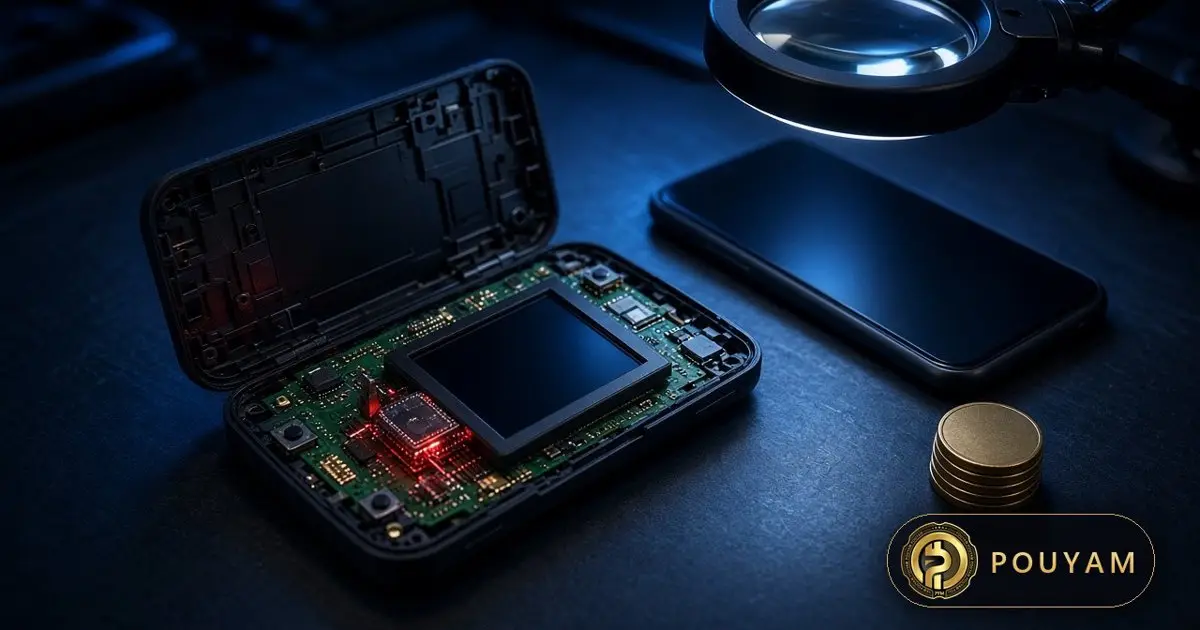
Trezor says the implants it has found are limited to three Safe 5 devices bought from one reseller, CryptoBilis, and that it has found none in other Trezor models or in devices from its other resellers [5]. Trezor said on 12 November that three Safe 5 units bought between 20 August and 23 September 2026, through CryptoBilis's Tokopedia and Shopee stores and directly from CryptoBilis, contained a hidden implant [5].
The implant captures the recovery phrase and passphrase shown on screen and sends them over the mobile network to a server controlled by the attackers, which Trezor says works the same way as implants found in Ledger devices [5]. Trezor says no customer has reported losing funds, and 48 customers have come forward so far for checks [5].
Trezor's response: firmware 2.13.1, released on 11 November, stops the known implants from capturing anything; the reseller network has been cut by about 80%; and anyone who bought from CryptoBilis from March 2026 onwards is eligible for a replacement [5]. BleepingComputer reported the same account of the findings and the fix on 13 November [6].
If you bought from CryptoBilis, Trezor's advice is to move your funds to a new wallet with a new recovery phrase [5]. Firmware cannot protect a phrase that was already captured.
How do I buy a hardware wallet safely?
Buy hardware wallets directly from the maker's official store; Trezor's advice after the CryptoBilis case is to buy directly from trezor.io [5]. Trezor's support page says a device from its own shop or an authorized reseller is "most likely safe to use" and warns: "Never buy a Trezor from an unauthorized third party" [8].
- Avoid marketplace listings, second-hand devices and unusually cheap offers.
- Check that the package is complete and the holographic seal over the connector is intact; Trezor says a device that already has firmware installed should not be used [8].
- Generate the recovery phrase on the device during setup and write it on paper yourself.
- Install firmware only from the maker's official app; for Trezor, update to 2.13.1 or later [5].
- Never type your recovery phrase into a phone, computer or website; Trezor says it will never ask for a recovery phrase [5].
If you think a device was tampered with, Trezor's advice is to keep it and not set it up or use it until Trezor Support tells you what to do next [5].
What should I do if my USDT was stolen?
Act fast: report the theft to Tether and to any exchange the funds moved to, because USDT can only be recovered if it is frozen before it moves on [1]. Bitquery notes that Tether can freeze USDT on TRON and exchanges can hold deposits, but both need a report quickly [1].
- Write down your wallet address, the transaction IDs and the times of the thefts.
- Move any remaining funds on other chains to a new wallet with a new seed phrase, created on a clean, updated device.
- Contact Tether and the exchanges involved through their official support channels only.
- File a report with the police or your national cybercrime unit, and keep a copy of the report.
- Ignore anyone who contacts you offering to recover crypto for a fee. Bitquery calls that "a common second scam" [1].
| Item | Figure | Source date |
|---|---|---|
| USDT taken from TRON wallets | At least $5.42M | 5 Oct to 11 Nov 2026 |
| TRON wallets drained | At least 454 | Verified 12 Nov 2026 |
| Taken after Bitquery's first report | $1.31M (78 wallets) | After 5 Nov 2026 |
| Largest single loss | About $693K | 25 Oct 2026 |
| Second-largest single loss | 601,752 USDT | 7 Nov 2026 |
| Wallets drained on 8 other chains | 65 (at least $103K) | Verified 12 Nov 2026 |
| Drained wallets older than a year | 45% | Verified 12 Nov 2026 |
| Trezor Safe 5 units with implants | 3 (CryptoBilis) | Bought 20 Aug to 23 Sep 2026 |
| Trezor firmware that blocks known implants | 2.13.1 | 11 Nov 2026 |
Common mistakes
Assuming 'Trust Wallet was hacked' and switching apps on the same old phone.
Fix: Bitquery's reading points to the phone rather than the app, though it cannot prove it; update iOS first, and use a new seed phrase if you were exposed [1].
Keeping a seed phrase in screenshots or cloud notes.
Fix: Write it on paper and keep it offline, as Trust Wallet advises [4].
Paying a 'recovery expert'.
Fix: Recovery-for-a-fee offers are a common second scam; report to Tether and exchanges instead [1].
Buying a hardware wallet from a marketplace reseller.
Fix: Buy direct from the maker; the Trezor implants came from one reseller [5].
Thinking a firmware or iOS update recovers a stolen phrase.
Fix: Updates stop future capture only; move funds to a new seed if it may have leaked [5].
Frequently asked questions
Is Trust Wallet safe to use?
No Trust Wallet hack is confirmed as of 13 November 2026; keep the app and iOS updated and your seed phrase offline [1][2][4].
Is Trust Wallet affected by the worse_query exploit?
Trust Wallet said on 11 November that its iOS users are not affected [2].
Which iOS version protects against DarkSword?
Bitquery says Apple's fixes are in iOS 18.7.7 and iOS 26.3, and, per Macworld, that phones on iOS 26.3 or later are safe from it [1].
Can stolen USDT on TRON be recovered?
Only if it is frozen before it moves on; Tether can freeze USDT and exchanges can hold deposits after a quick report [1].
Should I stop using my Trezor?
Trezor says it has found implants only in Safe 5 units bought from CryptoBilis; update to firmware 2.13.1, and CryptoBilis buyers should move funds to a new seed [5].
Glossary
- USDT
- Tether's dollar-pegged stablecoin; the stolen coin in Bitquery's investigation is USDT on the TRON network [1].
- Seed phrase
- The list of words that can restore a wallet; whoever has it controls the funds.
- Drain
- Moving all funds out of a wallet using stolen keys [1].
- Implant
- A hidden extra circuit board added to a device to steal data; in the Trezor case it sat between the main board and the screen and captured recovery phrases [5].
- Lockdown Mode
- An optional iPhone setting that restricts features to resist targeted attacks [7].
Sources
- Trust Wallet Drain Reports: $5.42M USDT Taken, Still Going Bitquery · 2026-11-12
- Trust Wallet iOS users are not affected by the worse_query exploit Trust Wallet on X · 2026-11-11
- SlowMist TI Alert: iOS sandbox escape 0day PoC worse_query disclosed SlowMist on X · 2026-11-10
- A secure wallet starts with securing your device: security checklist Trust Wallet on X · 2026-11-05
- Our CryptoBilis investigation: what we found and what we've changed Trezor · 2026-11-12
- Trezor confirms crypto-stealing implants in three wallets, releases fix BleepingComputer · 2026-11-13
- About Lockdown Mode Apple Support · 2026-09-14
- Is my device safe to use? Trezor Support


Comments
Top comments