
GTA 6 CE-108255-1 Crash on PS5: Fixes to Try
- 8 views
- 0 likes
- 0 comments
- All languages combined
 +71
Sign in and earn +71 points by reading this
Read to the end, wait a few seconds, then tap the claim button below.
In short
Some PS5 players report GTA 6 crashing to the home screen with error CE-108255-1, a generic code meaning the game crashed [2][3]. Sony advises updating the game; Rockstar had not acknowledged the problem or released a patch as of 21 November 2026, and safe fixes have mixed results [1][3].
Key takeaways
- CE-108255-1 is a generic PS5 code meaning the game or app crashed, not a GTA 6-specific error [2][3].
- Sony's only advice is to update the game and then visit PlayStation Repairs [2].
- Rockstar had not acknowledged the crashes or released a patch as of 21 November 2026 [3].
- Reports come mainly from original and Slim PS5s, with some PS5 Pro owners [3].
- Safe steps include updating, rebuilding the database in Safe Mode and changing video output; results vary [4][7].
- Back up your save to PlayStation Plus cloud storage before trying fixes, and never pick Reset PS5 [7][8].
On this page 12 sections
- Why is GTA 6 crashing on PS5 with CE-108255-1?
- What does error code CE-108255-1 mean?
- What have Sony and Rockstar said about the GTA 6 crashes?
- What steps can I try to stop GTA 6 crashing on PS5?
- Could overheating or console hardware cause the crashes?
- How do I protect my GTA 6 save from crashes?
- Should I reinstall, wait for a patch or request a repair?
- When will Rockstar fix the GTA 6 PS5 crash?
- Common mistakes
- Frequently asked questions
- Glossary
- Sources
Why is GTA 6 crashing on PS5 with CE-108255-1?
Since Grand Theft Auto VI launched on 19 November 2026, some PS5 owners report that the game closes to the home screen with error CE-108255-1, at launch, in the opening cutscene or at fixed points in early missions; as of 21 November 2026 neither Sony nor Rockstar had named a cause [1][3][4].
Reports come mostly from the original PS5 and the PS5 Slim, with some PS5 Pro owners affected too, according to Notebookcheck, which cites Gizmodo [3]. Some players crash a few seconds after starting; others play for a while and then crash, or hit the error every time at the same story moment [3][4]. Polygon describes one player who crashes whenever a particular action happens in the early mission Pipework, which blocks any further progress [4].
Keep the scale in proportion. GameSpot says the issue does not appear to be very widespread [1]. GamesRadar, whose writer had played several hours without a crash, made a similar point: a cluster of error reports on social media does not prove a mass problem [5]. But if your game crashes at the same point every time, that is little comfort, so the steps below focus on what is safe to try and how to protect your progress.
What does error code CE-108255-1 mean?
CE-108255-1 is a generic PS5 code that means the game or app crashed; Sony's page for it says only "An error occurred with the game/application" [2]. It is not specific to GTA 6 and does not say why the crash happened [3].
Sony's official advice for this code has two lines: try updating your game, and if that does not help, visit PlayStation Repairs [2]. That is the full guidance on the page [2][3].
Because the code is generic, the same message can appear for very different causes: a bug in the game, corrupted data on the console, a storage problem, overheating or failing hardware. Players and outlets have floated all of these, but none has been confirmed for GTA 6 [3][4]. GamesRadar notes that, in its search, recent reports of this code were connected to GTA 6 rather than other games [5].
One caution about the number: some posts and articles misspell it as CE-108225-1 [5]. Sony's page uses CE-108255-1 [2].

What have Sony and Rockstar said about the GTA 6 crashes?
Sony's only public guidance is its generic error page; Rockstar has not acknowledged the crashes or released a patch addressing CE-108255-1, and its GTA 6 troubleshooting article simply links to Sony's and Microsoft's error-code pages [1][3]. Notebookcheck says that Rockstar article was last updated on 18 November [3].
Players describe being sent back and forth. One shared Rockstar's reply to their error report, telling them to contact PlayStation support for console technical help [3]. Others say their support tickets were closed and marked as logged [3]. GameSpot says players can still file a ticket with Rockstar for this or other problems [1].
Sony's support staff have reportedly given mixed answers. According to Notebookcheck, one player was quoted $230 before tax for a repair, while another Sony agent said it was definitely a software issue [3]. Polygon also reports that PlayStation support told at least one person it was software-related, citing Gizmodo [4].
As of 21 November 2026, Notebookcheck and Tech Prolonged reported that Rockstar had not commented on the crashes or given a date for a patch [3][6]. GTA 6 is one of the biggest launches ever, with GameSpot citing reports of 25 million copies sold, so a title update would be the most likely official route if the cause is in the game [1].
What steps can I try to stop GTA 6 crashing on PS5?
Start with Sony's official steps, updating the game and then the PS5 system software, and only then try the safe console checks below; players report mixed results with all of them, so treat each as something that may help, not a confirmed fix [2][3][4].
- Update GTA 6. Highlight the game on the home screen, press the Options button and choose Check for Update. This is Sony's main advice for this code [2][6].
- Update the PS5 system software. Make sure the console is running the latest system software version [6].
- Make sure the game is complete and on internal storage. Check the download finished, and if the game is on an external drive, try moving it to the console's internal storage [6].
- Rebuild the database in Safe Mode. Turn the PS5 off by holding the power button for three seconds, then hold it again and release after the second beep, about seven seconds later. Connect the controller with a USB cable, press the PS button, and choose Clear Cache and Rebuild Database, then Rebuild Database [7]. Sony describes this as scanning the drive and building a new database of the content on the system [7].
- Try a different video output. Polygon reports that some players got past the crash by changing the PS5 resolution setting from manual to 1080p [4].
- Restore licences and reinstall. Some players have tried these; others say they made no difference [3][4].
Do not choose Reset PS5 in Safe Mode as a crash fix. Sony warns that it deletes all user data [7].
Could overheating or console hardware cause the crashes?
It is possible but unproven: some players and commentators think GTA 6 is so demanding that it exposes PS5s that were not fully stable, while others report crashes on new consoles and say other games run fine [1][3][4].
Gizmodo, as cited by Notebookcheck and Polygon, has raised the PS5's liquid-metal thermal interface, which some believe can dry out over time and reduce cooling, as one possible factor [3][4]. Launch-era PS5 models seem especially common among those affected [3]. One player who switched to a replacement PS5 Slim reported no crashes in the first five hours [3].
Other reports point the other way. Polygon notes a player who replaced their console's liquid metal and still hit the crash [4], and Notebookcheck says other games reportedly run fine on affected consoles, so a repair might not solve it [3].
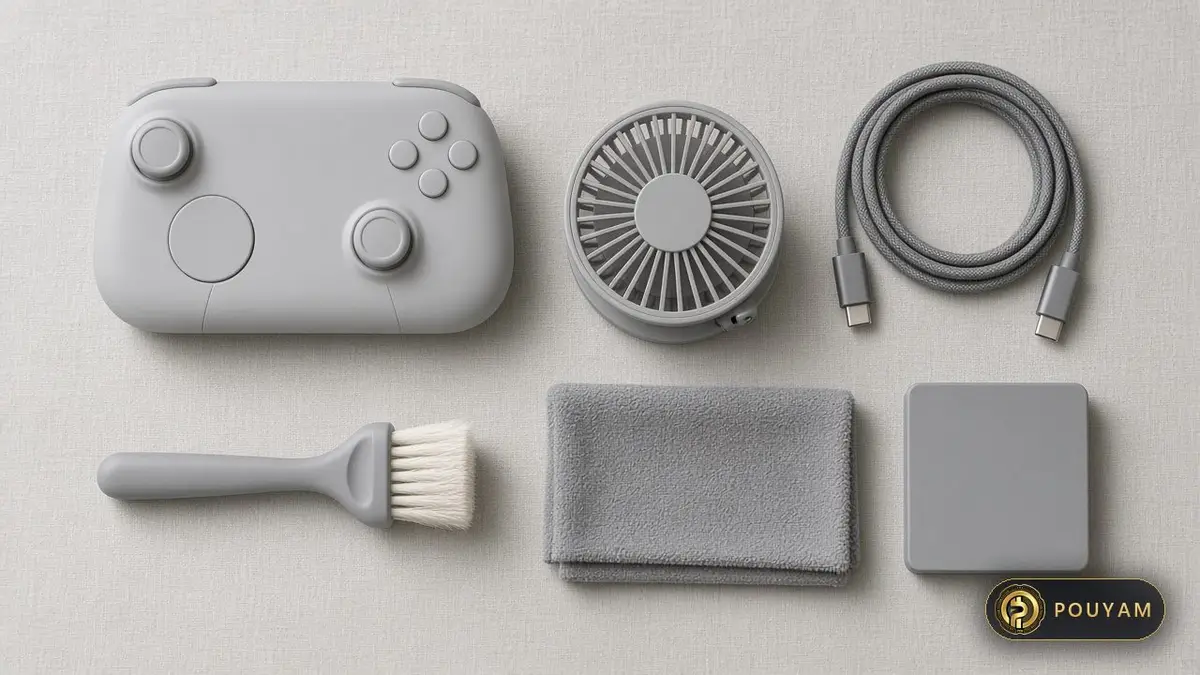
Some basic care can do no harm whatever the cause: keep the console in an open space with room around the vents, dust the vents gently, and avoid placing it inside a closed cabinet. Rockstar says the game runs at 30 frames per second on all consoles because it is so demanding, which is explained in our 30 fps guide [4].
If you are thinking about a paid repair, check first whether a game update fixes the problem, since that would be free.
How do I protect my GTA 6 save from crashes?
Save manually as often as the game allows, never start a New Game over your progress after a crash, and copy your save to PlayStation Plus cloud storage or a USB drive before trying fixes [7][8].
A crash in the middle of a mission can cost you that mission's progress. Our save guide explains how autosaves, manual saves and save slots work. After any crash, open Load Game first and check your latest save before doing anything else.
With PlayStation Plus, you can back up saves to the cloud [8]:
- Turn on auto-sync: Settings, then Saved Data and Game/App Settings, then Saved Data (PS5), then Sync Saved Data, then Auto-Sync Saved Data. This needs Stay Connected to the Internet turned on in Rest Mode settings [8].
- Upload one game now: highlight GTA 6 on the home screen, press Options and choose Upload/Download Saved Data [8].
PlayStation Plus members can store up to 100 GB of PS5 saved data in the cloud [8]. Sony also reminds users to back up to a USB drive or cloud storage before using Safe Mode options that can erase data [7]. Do not delete GTA 6's saved data as a troubleshooting step.

Should I reinstall, wait for a patch or request a repair?
For most players, the low-risk order is: update, try the safe checks, back up your save, then wait for an official patch, before paying for a repair [2][3][7].
Reinstalling a game of GTA 6's size takes a long time and some players say it did not help [3]. Our pre-load size guide explains how much space the game needs. A repair can cost money, and with no confirmed cause it may not solve a software problem [3]. Waiting costs nothing but time, and a fix in a title update would reach every affected player at once.
If the game crashes at the same mission every time and nothing helps, file a ticket with Rockstar support and with PlayStation support, so both companies have a record of the problem [1][3]. Include your PS5 model, system software version, the game version and exactly where the crash happens.
Players on Xbox should use Microsoft's error-code pages; Rockstar's troubleshooting article links to both platforms [1].
When will Rockstar fix the GTA 6 PS5 crash?
No date has been given: as of 21 November 2026 Rockstar had not commented on CE-108255-1 or announced a patch, and Sony had not said whether it sees a console or a game issue [3][6].
Until an official fix arrives, keep automatic updates on so a title update installs as soon as it is released, keep your save backed up, and check Rockstar's support site and newsroom rather than social media rumours about fixes. This guide will be updated when Sony or Rockstar publishes information.
For more GTA 6 help, read GTA 6 Save Game: How Autosave Works and How to Save Manually; GTA 6 30 FPS: Why There Is No 60 FPS Mode on PS5 Pro; GTA 6 Pre-Load Size: 212 GB and How to Free Up Space; GTA 6 Countdown: Unlock Time in Your City and US Time Zone; and GTA 6 Age Rating: Is It OK for Kids? PEGI 18 and Controls.
| Step | Source | Risk to your data |
|---|---|---|
| Update the game | Sony | None |
| Update PS5 system software | Sony | None |
| Move game to internal storage | Sony general crash advice | None |
| Rebuild Database in Safe Mode | Sony Safe Mode guide | None stated by Sony |
| Change resolution to 1080p | Player reports | None |
| Restore licences or reinstall | Player reports | Saves are kept, but reinstalling takes time |
| Reset PS5 | Sony Safe Mode guide | Deletes all user data, not a crash fix |
Common mistakes
Thinking CE-108255-1 is a special GTA 6 error.
Fix: It is a generic PS5 code meaning the game crashed [2][3].
Starting a New Game after a crash.
Fix: Open Load Game first and check your latest save.
Choosing Reset PS5 in Safe Mode to fix the crash.
Fix: Reset PS5 deletes all user data; use Rebuild Database instead [7].
Deleting GTA 6 saved data while troubleshooting.
Fix: Back it up to cloud storage or USB first and keep it [7][8].
Paying for a repair straight away.
Fix: The cause is unconfirmed and other games run fine on affected consoles, so wait for an official update first [3].
Frequently asked questions
What does CE-108255-1 mean on PS5?
Sony says it means an error occurred with the game or application, in other words the game crashed [2].
Is there a patch for the GTA 6 PS5 crash?
Not as of 21 November 2026, when Rockstar had not announced one [3].
Does rebuilding the database delete my saves?
Sony describes it as scanning the drive and building a new content database; back up saves first anyway [7].
Is my PS5 broken if GTA 6 crashes?
Not necessarily. The cause is unconfirmed, and other games reportedly run fine on affected consoles [3].
Does the crash happen on PS5 Pro?
Some PS5 Pro owners report it, though most reports come from original and Slim models [3].
How do I back up my GTA 6 save?
With PlayStation Plus, highlight the game, press Options and choose Upload/Download Saved Data, or turn on auto-sync [8].
Glossary
- CE-108255-1
- A generic PS5 error code shown when a game or app crashes [2].
- Safe Mode
- A PS5 start-up mode with only basic functions, used for repairs such as rebuilding the database [7].
- Rebuild Database
- A Safe Mode option that scans the drive and creates a new database of the console's content [7].
- Title update
- A patch released by the game's developer to fix bugs or change the game.
- Cloud storage
- PlayStation Plus online space for copies of saved data, up to 100 GB for PS5 saves [8].
Sources
- GTA 6 Is Crashing On Some PS5s With CE-108255-1 Error Code GameSpot · 2026-11-20
- PS5 Error Code CE-108255-1 PlayStation Support
- GTA 6 crashes on PS5 with error CE-108255-1, leaving players stuck between Sony and Rockstar support Notebookcheck · 2026-11-21
- GTA 6 Players Are Encountering a Mysterious Game Breaking Crash Polygon · 2026-11-20
- PS5 error CE-108255-1 is ruining GTA 6 for some players, and Rockstar and Sony aren't very helpful: "Try updating your game" GamesRadar+ · 2026-11-19
- GTA 6 keeps crashing on certain PS5 consoles with CE-108255-1 Tech Prolonged · 2026-11-21
- How to use Safe Mode on PS5 consoles and PS4 consoles PlayStation Support
- PlayStation Plus cloud storage for PS5 consoles PlayStation Support


Comments
Top comments