

Passkeys Are Replacing Passwords in 2026: What Users and Businesses Need to Know
 +50
+50 Passwords have protected online accounts for decades, but they have also become one of the weakest parts of digital security. People reuse them, forget them, choose predictable combinations, and ac...
Passwords have protected online accounts for decades, but they have also become one of the weakest parts of digital security.
People reuse them, forget them, choose predictable combinations, and accidentally enter them into fraudulent websites. Businesses then spend significant time managing password resets, account lockouts, credential theft, and phishing incidents.
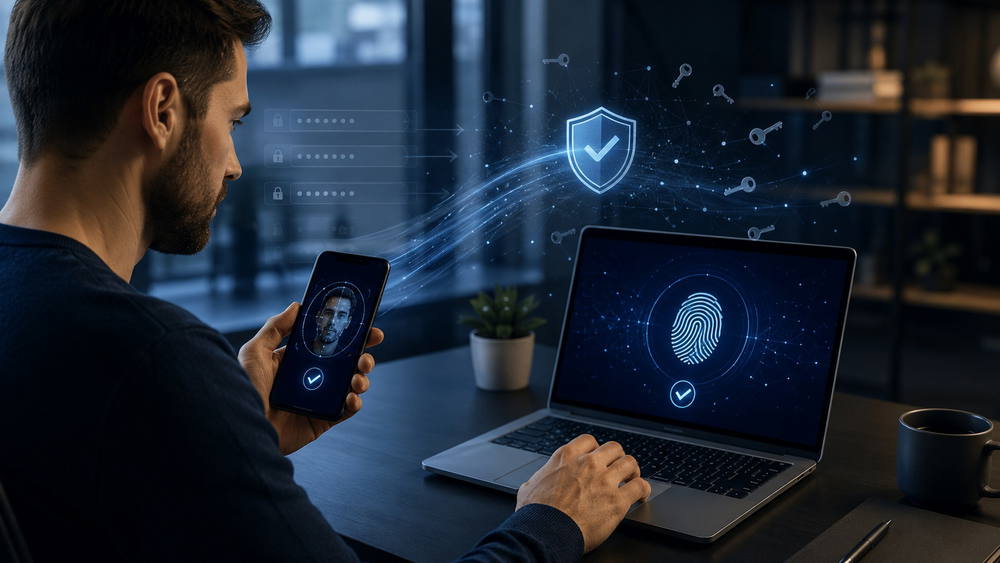
Passkeys offer a different approach. Instead of asking users to remember a secret phrase, they allow someone to sign in using the same fingerprint, facial recognition, PIN, or screen lock already used to unlock their device.
The technology is not entirely new, but 2026 appears to be a turning point. The FIDO Alliance estimates that approximately five billion passkeys are now in use worldwide. Microsoft is also preparing to make passkeys the default authentication experience for eligible Microsoft Entra ID users beginning September 1, 2026.
For consumers, the change promises easier sign-ins. For businesses, it creates an opportunity to reduce phishing risk while simplifying account access.
What Is a Passkey?
A passkey is a digital credential that replaces a traditional password.
It is based on public-key cryptography. When a passkey is created, the user’s device generates two related cryptographic keys:
A public key stored by the website or application
A private key kept securely on the user’s device or passkey provider
The private key is not shared with the website during login. Instead, the device uses it to prove that the user holds the correct credential.
To approve the sign-in, the user normally confirms their identity with a fingerprint, facial recognition, device PIN, or screen-lock pattern.
Passkeys use the WebAuthn standard and are designed to work across modern operating systems, browsers, websites, and applications.
Why Passkeys Are Safer Than Passwords
The biggest security advantage is that there is no reusable password for an attacker to steal.
They Are Resistant to Phishing
A passkey is connected to the identity of the website or application for which it was created. A fraudulent website cannot simply collect the credential and reuse it on the legitimate service.
This makes passkeys resistant to many common phishing attacks, including fake login pages designed to capture usernames and passwords.
They Cannot Be Guessed
Passkeys are cryptographic credentials rather than words or phrases.
Attackers cannot guess them using personal information, common password lists, or automated combinations. Users also do not need to create complicated strings containing uppercase letters, numbers, and symbols.
They Reduce Credential Reuse
A different passkey is created for each service. A credential compromised on one platform cannot be reused to access another account.
This addresses one of the most damaging password habits: using the same login information across multiple websites.
They Are Not Exposed in Data Breaches
A service stores the public portion of the credential, not the private key required to complete authentication.
A database breach therefore does not reveal a traditional password that can immediately be tested against other accounts.
How Passkeys Work in Everyday Use
For most users, passkey authentication feels similar to unlocking a phone.
When signing in, the website may display an option such as “Sign in with a passkey.” The device then asks the user to approve the request using facial recognition, a fingerprint, or a device PIN.
Passkeys can often be synchronized through services such as Apple iCloud Keychain, Google Password Manager, or other supported credential providers. This allows people to access their accounts from multiple approved devices.
A passkey stored on a phone may also be used to authenticate a login on a nearby computer. The user scans a QR code or approves the request on the phone rather than manually entering a password.
The experience varies by platform, but the basic goal remains the same: secure login without requiring the user to remember or type a shared secret.
Why Passkeys Are Gaining Momentum in 2026
Passkeys have existed for several years, but adoption depends on more than technical availability. Websites must support them, operating systems must make them easy to manage, and users must understand what they are.
Those conditions are now beginning to align.
Major technology platforms have integrated passkey support into their devices and account systems. Businesses are also under pressure to adopt authentication methods that can better resist credential theft, phishing, voice-based scams, and social engineering.
According to the FIDO Alliance’s 2026 consumer and workforce report, awareness of passkeys has reached 90% among surveyed consumers, while 75% reported enabling them on at least some accounts.
Microsoft’s decision to make passkeys the default experience for eligible Entra ID users is another sign that passwordless authentication is moving into mainstream enterprise use.
Passkeys Versus Passwords
FeaturePasswordPasskeyMust be rememberedUsuallyNoCan be guessedYesNoCan be reusedYesNoVulnerable to fake login pagesYesStrongly resistantStored as a shared secretYesNoUses device authenticationSometimesNormallyCan be synchronized across devicesThrough password managersThrough passkey providers
Passkeys improve both security and convenience, but they do not automatically solve every authentication problem.
Account recovery, device loss, shared-device access, employee departures, and older systems still require careful planning.
What Happens When You Lose Your Device?
Losing a phone does not necessarily mean losing every passkey stored through it.
Synced passkeys may be available on other approved devices connected to the same credential provider. A user who replaces an iPhone, Android device, or computer may regain access after signing in to the appropriate platform account and completing its security checks.
Device-bound passkeys work differently. They remain on a particular device or physical security key and may not be synchronized.
This can provide stronger control for administrators, financial systems, regulated environments, and other sensitive accounts. However, organizations using device-bound credentials need backup and recovery procedures.
Users should avoid relying on a single device without reviewing the recovery options offered by each important service.
The Problem of Password Fallbacks
A passkey login is only as strong as the recovery and fallback methods surrounding it.
A company may introduce passkeys while still allowing users to reset their accounts through a weak email link, an easily intercepted text message, or a support process that can be manipulated through social engineering.
Attackers will naturally target the easiest available route.
Businesses should therefore evaluate the entire account lifecycle, including:
Registration
Login
Device replacement
Credential recovery
Help-desk verification
Administrator access
Employee offboarding
Removing the password from the main sign-in screen is useful, but it is not enough when weaker authentication paths remain active behind it.
What Businesses Should Do Before Introducing Passkeys
A successful rollout requires more than enabling a new setting.
Identify High-Risk Accounts First
Begin with administrators, executives, finance teams, developers, and employees who can access sensitive information or critical infrastructure.
These accounts are particularly valuable to attackers and should receive stronger authentication controls early.
Review Existing Applications
Some modern cloud services already support passkeys, while legacy applications may still depend on passwords.
Businesses should create an inventory of authentication systems and determine which platforms can support passwordless access directly.
Older systems may require identity-provider integration, modernization, or temporary alternative controls.
Plan Account Recovery Carefully
Recovery should be secure enough to prevent unauthorized access but simple enough that legitimate users are not permanently locked out.
Organizations may need backup passkeys, approved recovery devices, identity verification, security keys, or administrator-assisted processes.
Train Users Clearly
Many people understand fingerprints and face recognition but do not understand the term “passkey.”
Instructions should explain what users will see, how to create a passkey, where it is stored, and what to do when changing devices.
Avoid presenting the rollout as a technical security project. For employees and customers, the main benefit is a faster sign-in that does not require another password.
Measure the Results
Track passkey registration, successful sign-ins, recovery requests, support tickets, failed authentication attempts, and continued password usage.
This helps the organization discover where users are confused and where insecure fallback methods remain active.
Should Consumers Start Using Passkeys?
For most personal accounts, enabling a passkey is a sensible choice when the service offers it.
Start with important accounts such as email, cloud storage, banking services, social media, shopping platforms, and the primary Apple, Google, or Microsoft account connected to your devices.
Before removing an existing password, check how the service handles:
Lost or stolen devices
Account recovery
Additional trusted devices
Family or shared access
Travel without a primary phone
It is also worth securing the account that synchronizes your passkeys. A well-protected Apple, Google, Microsoft, or password-manager account becomes an important part of your broader digital identity.
Will Passwords Disappear Completely?
Passwords are unlikely to vanish overnight.
Many older applications cannot support passkeys without significant changes. Some organizations also need authentication systems that work on shared terminals, specialized hardware, restricted networks, or devices without biometric capabilities.
For a period, most people will use a mixture of passkeys, passwords, security keys, authenticator applications, and identity-provider sign-ins.
The important shift is that passwords are no longer the automatic default for every account.
As passkey support becomes more consistent, users may gradually stop creating passwords for new services and use them only when interacting with older systems.
Conclusion
Passkeys are moving from an experimental alternative to a mainstream authentication method.
They offer a practical response to several persistent security problems, including phishing, password reuse, weak credentials, and stolen login databases. They can also make signing in faster by replacing memorized secrets with familiar device authentication.
However, the move to passkeys must be handled carefully. Businesses need secure recovery systems, clear user education, legacy-application planning, and stronger controls for privileged accounts.
Passwords will remain part of the digital world for some time, but their central role is weakening. In 2026, the question is no longer whether passwordless authentication will become common. It is how quickly organizations and users can adopt it without creating new gaps in security.
Comments
Top comments